Monday, October 30, 2023

𝕾𝖔𝖚𝖓𝖉 𝕭𝖑𝖔𝖌 𝕻𝖔𝖘𝖙


For my sound project, I made a 2-minute scene, only consisting of sound. The scene had to be in a 2-minute lifespan. It had to be a detailed outline that made the scene seem realistic. We had to make foley sounds and use sounds from a database to help create our story. Only 7 words were allowed. Sound link


My scene takes place in a crime scene. The detective arrives at the scene and he reports to his co-workers that he has arrived at the scene. He walks in and he notices that there is a huge mess and he finds some blood suddenly he hears footsteps upstairs and he slowly makes his way up the stairs when he gets to the top he sees the killer, tries to shoot him but misses, he tries again and he defeats the killer. 
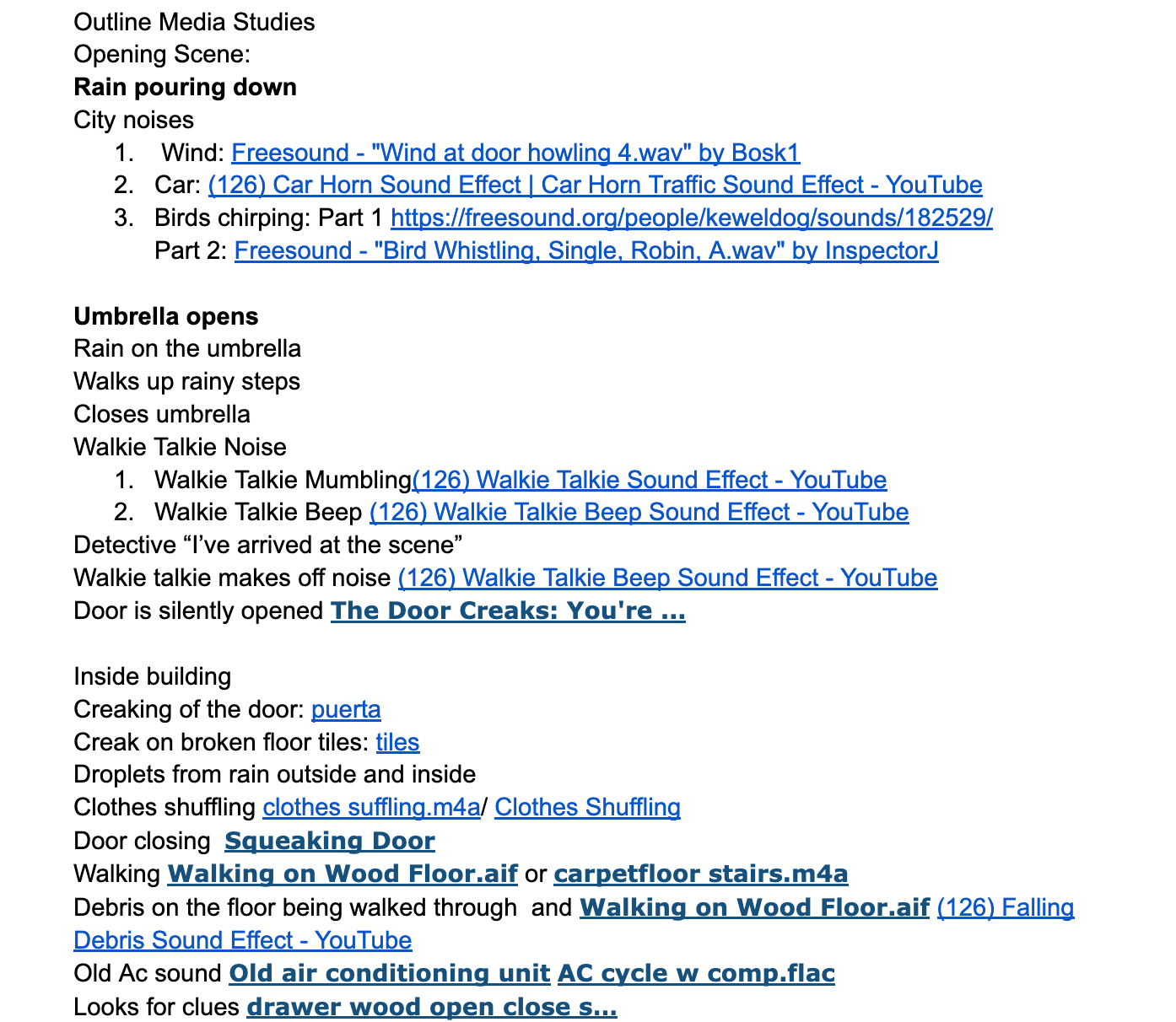


Coming into the final product for this project was difficult. Me and my partner started with the main idea of it. Then we continued by doing a planning sheet of the project and we planned out our sounds. We decided which would by our primary sounds and secondary sounds. We also had to choose our foley sounds.  After we were done with that we had to project approved by our teacher. Then we were allowed to start planning our outline. We divided our scene into four parts. We added the sounds and how they would play out in order (adding both secondary and primary). Then once our outline was finalized we added the sound using sound databases. Then we made our foleys we each made 2. Once we were finished we put all the sounds together and created our final piece!


Clip of me making the foley


Tuesday, September 26, 2023

𝕮𝖆𝖒𝖊𝖗𝖆 𝕾𝖍𝖔𝖙𝖘/𝕬𝖓𝖌𝖑𝖊𝖘 𝕼𝖚𝖎𝖟 𝕽𝖊𝖋𝖑𝖊𝖈𝖙𝖎𝖔𝖓

  Instructions

For my camera shots/angles quiz, I was assigned to create a story using 15 particular shot styles to precisely demonstrate tone. The instructions stated that I was to select an inanimate object, create a story where it was the main character, and it had to have 10 shots that she had chosen for us and the rest was up to us. I had to take my 15 pictures and then put them in a slideshow. All the images were required to have a description of the shot and the shot used.


Development of project  

To develop my finalized project, I thought of a story, took the 10 pictures of the required angles, and then took the extra 5 that I thought would help develop the plot of the story. I decided it would be better to take plenty because I wasn't sure how I wanted to end my story. My story was about a human girl who eats a dangerous ingredient and turns into a doll. I had to come up with a way to minimize the human screen time because I wanted to make it clear that the main character was the doll and not the human. So I only used 5 pictures of the human and 10 of the doll. Once I had all the pictures I inserted them into my PowerPoint and placed them in the correct order so that my story could have a clear beginning, middle, and end. I named each shot, described why it was used, and how it enhanced the tone of my plot. I reviewed each slide and checked that I had taken the shots correctly as they were supposed to be and I was happy with my final results.


Review

For the most part, I think I did a good job. I created a creative storyline, that had accurate shots and angles, established a beginning, middle, and end, and demonstrated tone. All my shots were captured correctly, and the names and descriptions were included. The only thing I would have done differently is instead of mostly giving the definition of the shot in the description, I should have given an analysis of the shot and explained how it helped further the plot and tone of my story. 

𝕴𝖓𝖙𝖗𝖔𝖉𝖚𝖈𝖙𝖎𝖔𝖓

Dani here; you can read about my portfolio projects and my media studies class experiences on my blog. This is crucial because I can monitor my development and observe how I've changed throughout the year, hopefully improving.

MOVIE INTRO!

 I can't believe that project finally over. Me and Brianna have come a really long way to get here. We went through many setbacks (me ha...